
IMEI & Serial Number Basics
How to Look Up an IMEI Online the Right Way
A practical IMEI check guide for buyers and stores — separate identifier lookup from warranty checks, and know result limits.
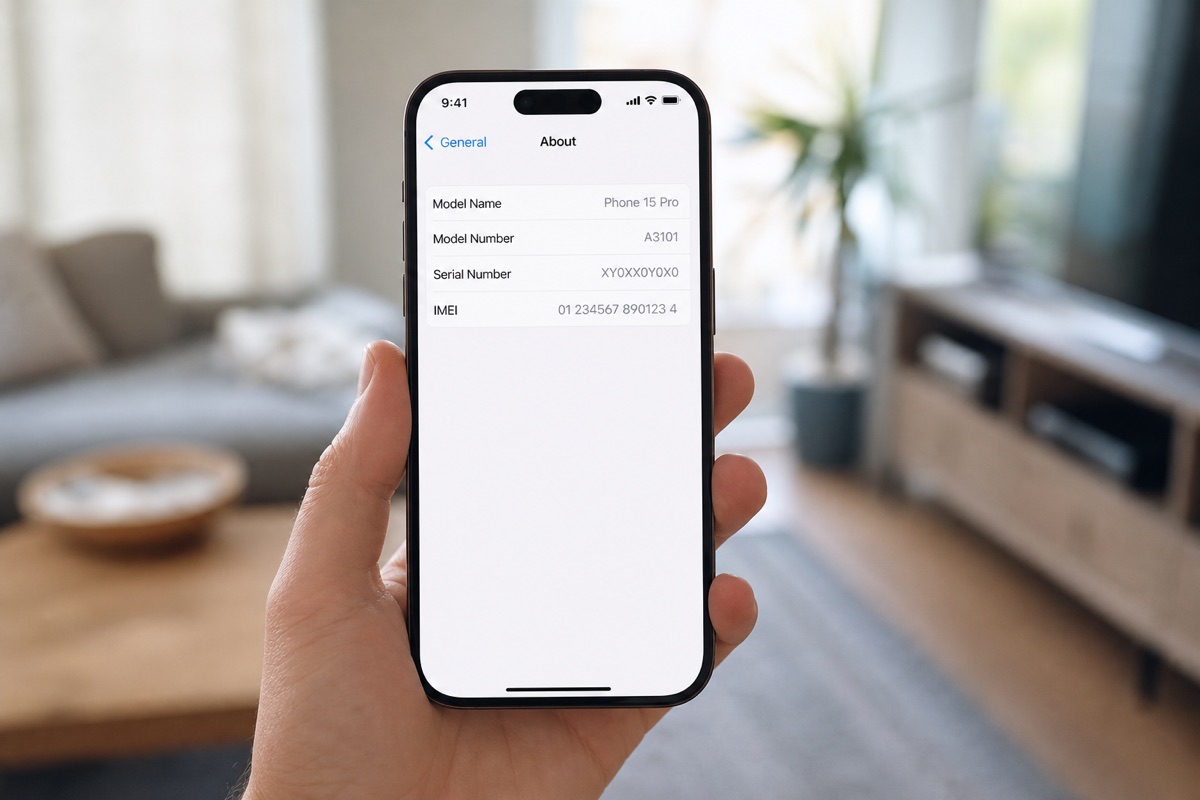
IMEI check and IMEI lookup share one intent
Whether someone searches for an IMEI check or IMEI lookup, the goal is the same: collect the correct 15-digit code, match device and box, then read related data (model, activation, warranty). That differs from “what is an IMEI” alone — see what IMEI means.
Step 1: Collect the IMEI in the right place
Dial *#06#, or open Settings → (General →) About. Dual-SIM phones show IMEI 1 and IMEI 2 — record both. Match the box label and invoice before trusting any website.
Step 2: Choose a trustworthy lookup source
Apple: Check Coverage (serial first; cross-check IMEI on iPhone). Android: use the brand’s official warranty/authentication portal — see warranty checks by brand.
Avoid unknown “full GSX” sites, random apps, or forms that demand login without a clear operator. An IMEI website is only useful when you understand the data source and its limits.
Step 3: Read results — and what an IMEI check never shows
| Often available | Not in a basic IMEI check |
|---|---|
| Model / product family (source-dependent) | Find My / iCloud Lock |
| Activation status & date (Apple Coverage) | Carrier blacklist |
| Remaining warranty / coverage | Factory seal or original parts |
Coverage ≠ iCloud Lock — details in this explainer. For iPhone depth, see iPhone IMEI check.
When do you need bulk IMEI checks?
Stores, wholesalers, and trade-in desks should not type codes one by one. Upload Excel/CSV with an imei or serial column to BatchIMEI — up to 1,000 Apple codes per batch — and export model, activation, activation date, and coverage. See the 3-step workflow.
Real-world check example
When buying used or receiving a lot, put this term on your checklist: get the right code → read Coverage → match the model → then pay. See also IMEI vs serial and by-model checks.
If you live in spreadsheets, pair this with the Batch IMEI Checker for Excel.
A common mistake is calling a device “clean” just because Coverage returns OK. Coverage does not replace an on-device Activation Lock check, and it does not report carrier blacklists. Separate layers reduce the risk of taking unsellable units.
Summary & next steps
Knowing the term prevents wrong conclusions from a single Coverage line. Return to the full glossary, browse comparisons, or open BatchIMEI for bulk checks.
Suggested reading order: glossary basics → concept comparisons → by-model guides → Excel workflows for stores. Each step answers a different buyer or intake question.
Frequently asked questions
Is an online IMEI lookup free?
Official manufacturer portals (such as Apple Check Coverage) are free per device. BatchIMEI includes 5 free checks after signup; paid plans cover higher volume.
Which IMEI websites are safe?
Prefer official brand domains. Use third-party tools only when you know what data they return and they do not request risky permissions.
Can an IMEI check detect a carrier lock?
A basic Coverage/IMEI check does not replace a carrier-lock test on the device or with the carrier.
Can a fake IMEI still return a result?
Yes. A valid or cloned code may still show a model. Always match box, device, and invoice.
References
- Apple Support — Find the serial number, EID, or IMEI — Official instructions for iPhone and iPad
- Apple — Check Your Service and Support Coverage — Apple's official serial-number coverage checker
Stop checking Apple identifiers one at a time
BatchIMEI accepts an Excel/CSV file of Apple IMEIs or serial numbers, processes up to 1,000 identifiers per batch, and exports activation and warranty results. The current price is 500 VND per successful check.